Showing posts with label object tracking. Show all posts

Wednesday, July 16, 2008

I.D Tags


The Fable computer program is designed to recognize the I.D tags when they are placed on the tables surface. 

Each tag is representative for each member of the family and also the photo frame.

The tags are made up of 2 different materials: a reflective film and mat black card.

As the webcam is adapted to see only infrared light, the program will only see the reflected part of the I.D tag; and as the above image shows, each reflective area for each tag is different in size.

The program basically counts the pixels of reflective area, and since each area is different, it is able to understand the difference between each tag.

Notice the asymmetrical layout of the tags. This enables the software to understand when a mug is rotated.

The frame works in the same way. As the following image shows, the reflective area for the frame is much larger than it is for the mugs. This means the software can easily differentiate between the frame and the mugs. The black spots on the side of the frames tag are for the software to understand the orientation of the frame so it can position a photo inside the frame and react accordingly if the frame is rotated.


Hacking

As I mentioned in my last post about altering the webcam to see infrared light and block out natural light; I like to hack things.

I have an understanding of how electronic products work and how different materials can be used to replace existing parts to change a products behaviour. The story of how I made the i.d tags is an example of this.

I started of by looking at materials which absorbed or reflected infrared light.

Skin does this best. I built a simple touchscreen by embedding IR LED's into a sheet of acrylic. When skin comes into contact with the acrylic, it absorbs the IR light and creates a glow (or blob as it was referred to).

 
So I began to play with various materials which I thought could react in a similar way to infrared light; such as leather and silicon. But none of the materials worked.

Which lead me to the physics reflections: retroreflections

Some surfaces exhibit retroreflections. The structure of these surfaces is such that light is returned in the direction from which it came. A surface can be made partially retroreflective by depositing a layer of tiny refractive spheres on it. In this case, internal reflection causes the light to be reflected back to where it originated.

This is used to make traffic signs and registration plates on cars as the light would be reflected back to a cars headlights rather than into the drivers eyes.

This theory is also evident in reflective jackets, such as those worn by builders or cyclists. 

I bought some of these jackets and also bought a strip of reflective tape from 3M. The film that worked the best for my I.D tags were actually from a cyclists jacket I found in IKEA; of all places!

So I cut the film into circular sections and stuck them onto the bottom of the mugs. 

Tuesday, July 15, 2008

Fable


Fable is an interactive kitchen table designed to encourage families to spend a bit more time together at mealtimes. It allows the family to communicate their own individual experiences, stories and memories by providing each member of the family with the possibility of sharing their own photos.

Each object on the table, in this case coffee mugs, has its own unique I.D tag. The I.D tag is representative for each member of the family and the built in computer has been pre-programmed to understand which tag belongs to who.

When, for example, the father of the family wants to share his photos of a particular event, say from a recent business trip, he would simply email or text those photos to Fable where they would be stored. When he comes back from his trip and he sits down with his family for a meal around Fable, the father can then display his stored photos by simply placing his coffee mug on the table’s glass top surface. The photos are then displayed next to the mug as thumbnails.

Wherever the mug is on the table, the photos will follow it and can therefore be passed around to anyone.

How does it work?

The prototype is made up of a number of individual elements which are part of a system. This system can scan the glass table surface, identify objects on the surface, differentiate between different objects and process the appropriate photos for each object.

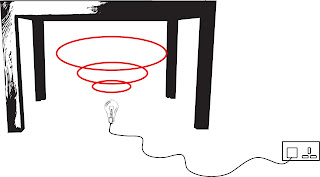
The first element is the infrared light source which sits beneath the table pointing upwards and therefore filling the entire glass surface in IR light. The source consists of an arrangement of 36 IR LED's with a 60 degree beam angle, designed to focus on the area of the glass.


The second element is a webcam which sees the entire glass surface from below. It is positioned amongst the light source. Webcams are designed not to see IR light as they have a filter built in behind the lens which blocks all IR light getting through. This is simple to remove, and as a result, the camera can be altered to see infrared light.

Another neat little trick  is to replace the little filter with pieces of negative camera film from a disposable camera. This will block out all natural light from the webcam effectively turning it into a infrared detector.

The third element is the physical objects. Each object will have a unique I.D tag on its base, so when it is on the glass surface, the webcam will see it. But remember, I hacked the webcam to see only IR light so the I.D tags are actually made up of reflective film. This film reflects the IR light from the LED's back into the webcam.

Which leads to the final element; the computer program. Written in Processing (www.processing.org), a java script application, the program is receives live video stream from what the webcam can see on the table surface. It has been pre-programmed to look for a number of I.D tags on the table. So for example when the father puts his mug down on the table, the webcam will see it, tell the computer program what it sees and the program will send photos to the mug using a projector.

The thumbnails can travel around the perimeter of the screen on an invisible track. This leaves space in the middle of the table for salt & peppers, ketchup etc. But it also leaves space for my 2nd neat little trick; the photo frame.

If you look at the above image, you'll notice that the thumbnails appear one on top of the other in a little cluster. The photo on the top of the cluster would be the photo the user wishes to see. To flick through the cluster, all you have to do is simply rotate the mug, which will bring a new photo to the top of the stack for every 30 degrees of rotation.

However if you place the photo frame (and this is where it gets really clever) in the middle of the table, the thumbnail photo on the top of the cluster will appear inside the frame. This enlarged photo will follow the frame around the entire table, and again if you rotate the mug, the recurring photo on top of the cluster will be replaced inside the frame.