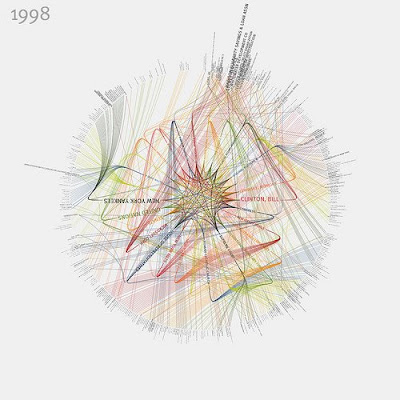
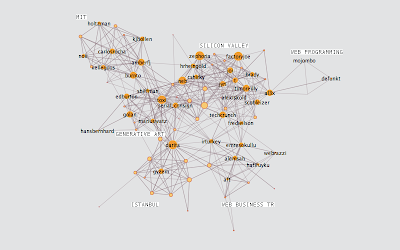
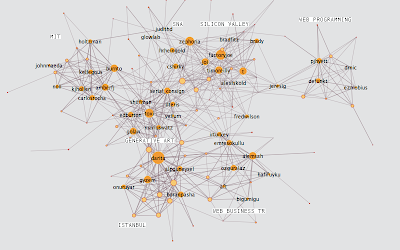
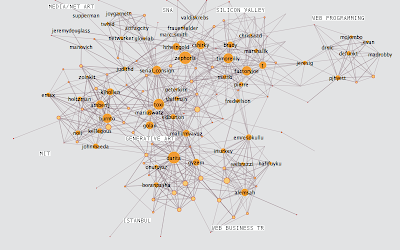
Visualizations that represent the people and organizations most mentioned in New York Times articles from 1984-2009 have been created by Jer Thorp. The visualizations show connections between the people and therefore relationships between them all.

Philipp Steinweber and Andreas Koller have created Similar Diversity, a visualization that exposes a fresh perspective on the topic of religion and faith.
The graphic focuses on the Holy Books of five religions from around the world, showing communalities and differences between them.
The essence of the visualization is an objective and honest “text analysis” of the five scriptures without any manipulation from Steinweber or Koller, which are realized with 2 different tools; the evaluation is done using VVVV and the graphic visualization of the data is created in Processing.
Steinweber and Koller downloaded digital versions of English translated Holy Scriptures (Christianity, Islam, Hinduism, Buddhism and Judaism) from the internet.
The large arc visual shows the 41 most frequent characters from different Holy Scriptures and their communalities.
The characters are aligned alphabetically on the x-axis. Their names’ and the arcs’ size are calculated from their total word-count in all 5 scriptures. According to that, characters which play a big role in several scriptures are displayed larger.

Below the names can be found bar charts which are breaking down the activities of the characters in detail. The verbs are gained by filtering them out of the texts, technically each verb straight after a character’s name is taken. In case of the word order "God loves" the verb "loves" is referred to the character’s name "God". The height of the rows and the font size show the frequency of particular activities.
What I love most about Similar Diversity, aside its beauty, is the fact that neither author manipulated any of the data from the scriptures, meaning the visualization will effect people differently on an emotional level depending on their religious standpoint. It really made me think about my preconceptions of religion, and in a time of conflict between Israel and Gaza, I Similar Diversity inspired me to think about religious conflict and realize to a certain extent why such hostility remains in existence.


Fable is an interactive kitchen table designed to encourage families to spend a bit more time together at mealtimes. It allows the family to communicate their own individual experiences, stories and memories by providing each member of the family with the possibility of sharing their own photos.
Each object on the table, in this case coffee mugs, has its own unique I.D tag. The I.D tag is representative for each member of the family and the built in computer has been pre-programmed to understand which tag belongs to who.
When, for example, the father of the family wants to share his photos of a particular event, say from a recent business trip, he would simply email or text those photos to Fable where they would be stored. When he comes back from his trip and he sits down with his family for a meal around Fable, the father can then display his stored photos by simply placing his coffee mug on the table’s glass top surface. The photos are then displayed next to the mug as thumbnails.
Wherever the mug is on the table, the photos will follow it and can therefore be passed around to anyone.
How does it work?
The prototype is made up of a number of individual elements which are part of a system. This system can scan the glass table surface, identify objects on the surface, differentiate between different objects and process the appropriate photos for each object.
The first element is the infrared light source which sits beneath the table pointing upwards and therefore filling the entire glass surface in IR light. The source consists of an arrangement of 36 IR LED's with a 60 degree beam angle, designed to focus on the area of the glass.
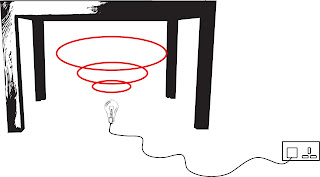
The second element is a webcam which sees the entire glass surface from below. It is positioned amongst the light source. Webcams are designed not to see IR light as they have a filter built in behind the lens which blocks all IR light getting through. This is simple to remove, and as a result, the camera can be altered to see infrared light.

Another neat little trick is to replace the little filter with pieces of negative camera film from a disposable camera. This will block out all natural light from the webcam effectively turning it into a infrared detector.
The third element is the physical objects. Each object will have a unique I.D tag on its base, so when it is on the glass surface, the webcam will see it. But remember, I hacked the webcam to see only IR light so the I.D tags are actually made up of reflective film. This film reflects the IR light from the LED's back into the webcam.
Which leads to the final element; the computer program. Written in Processing (www.processing.org), a java script application, the program is receives live video stream from what the webcam can see on the table surface. It has been pre-programmed to look for a number of I.D tags on the table. So for example when the father puts his mug down on the table, the webcam will see it, tell the computer program what it sees and the program will send photos to the mug using a projector.
The thumbnails can travel around the perimeter of the screen on an invisible track. This leaves space in the middle of the table for salt & peppers, ketchup etc. But it also leaves space for my 2nd neat little trick; the photo frame.
If you look at the above image, you'll notice that the thumbnails appear one on top of the other in a little cluster. The photo on the top of the cluster would be the photo the user wishes to see. To flick through the cluster, all you have to do is simply rotate the mug, which will bring a new photo to the top of the stack for every 30 degrees of rotation.
However if you place the photo frame (and this is where it gets really clever) in the middle of the table, the thumbnail photo on the top of the cluster will appear inside the frame. This enlarged photo will follow the frame around the entire table, and again if you rotate the mug, the recurring photo on top of the cluster will be replaced inside the frame.

